
Typeform form tracking lets you see exactly which marketing campaigns generate your best leads and form submissions. The Pimms dashboard has an interactive setup wizard that handles all technical details for you.
You'll get real-time form analytics showing which ads, email campaigns, LinkedIn outreach, or YouTube posts drive actual form submissions. Perfect for lead generation tracking with complete form attribution from click to submission.
Typeform is one of the most popular form builders, known for its conversational UI and high completion rates. With Pimms, every Typeform response is attributed to the campaign, ad, or social post that brought the visitor — no coding required.
Why track Typeform submissions with Pimms?
-
Know which campaigns drive actual form completions, not just views. You embed a Typeform on your landing page and drive traffic from Google Ads and LinkedIn. Without Pimms, you see 50 submissions but can't tell which channel drove them. With Pimms, every submission shows the exact campaign, ad, and platform.
-
Measure content marketing ROI with real lead data. You write blog posts with embedded Typeform surveys and lead magnets. Pimms connects each submission to the article that brought the reader, so you know which content actually generates leads — not just page views.
-
Optimize your funnel with submission-level attribution. You use a multi-step Typeform for qualifying leads. Pimms tracks which traffic source generates the highest-quality submissions, helping you allocate budget to channels that deliver real results.
Prerequisites
- A Typeform account (free or paid — webhooks are available on all plans)
- A Pimms account (sign up here)
- A website or landing page where your Typeform is embedded
What you'll track
- Typeform form submissions — Every completed response with respondent data and the campaign that brought them
- Lead attribution by campaign — Which ad, email, social post, or content piece drove each submission
- Campaign performance — Completion rates and submission counts broken down by traffic source
- Hidden field data — Attribution parameters passed through Typeform's hidden fields feature
How to set it up
Go to your Pimms dashboard, open Integrations → Typeform, and launch the setup wizard. It walks you through installing the detection script, adding a hidden tracking field to your Typeform, configuring the webhook, and verifying with a test submission. Setup takes about 5 minutes.
What the setup wizard covers
The Typeform wizard has 6 steps:
- Install the detection script — Add the Pimms script to the page where your Typeform is embedded
- Verify script installation — Confirm the script is loading and detecting the typeform.com domain
- Add pimms_id hidden field — Add a hidden field to your Typeform that captures the tracking ID
- Set up webhook in Typeform — Configure Typeform's webhook to send submissions to Pimms
- Create a test link — Generate a tracking link to the page with your Typeform
- Verify tracking works — Submit a test form to confirm attribution is connected
How it works
- Install the Pimms detection script on the page where your Typeform is embedded — it detects visitors from Pimms links and sets up outbound tracking for the typeform.com domain
- When a visitor arrives via a Pimms link, the script automatically passes the click ID to the Typeform through a hidden field
- The visitor fills out the form — the submission includes the Pimms tracking ID
- Typeform fires a webhook to Pimms with the form data and tracking ID, and Pimms attributes the lead to the original campaign
The webhook fires instantly when a form is completed, so attribution data appears in your dashboard within seconds.
Best ways to share your tracking links
- Landing pages — Embed your Typeform on a landing page and drive traffic with Pimms links to measure conversion per campaign
- LinkedIn posts — Share your Typeform quiz or survey via a Pimms link to track which posts generate the most responses
- Email campaigns — Use Pimms links in newsletters to see which emails drive form completions
- Paid ads — Point Google or Meta ads to a Pimms link to measure ad-to-submission conversion
- YouTube and podcast show notes — Add a tracked link in video descriptions to measure content-driven leads
What you'll see in your dashboard
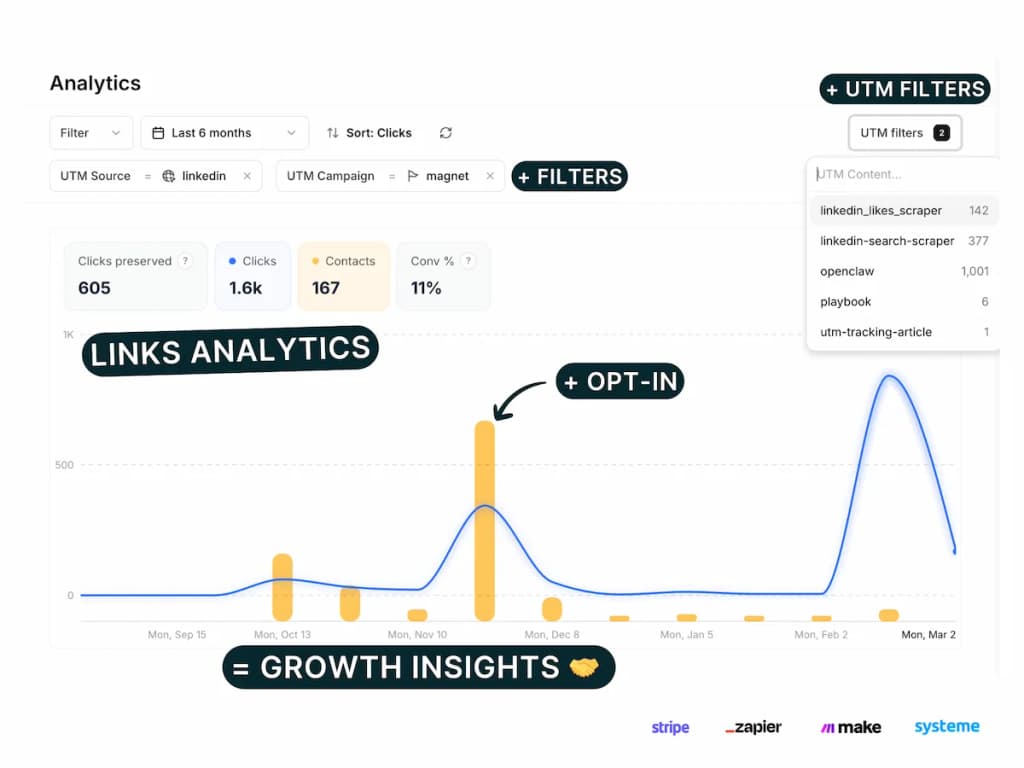
Your Pimms dashboard shows every Typeform submission in real time with full campaign attribution. For each lead, you'll see the form data, which Pimms link they clicked, from which platform, and which campaign. Filter by date, traffic source, or form to identify your best-performing channels.
FAQs
Does Typeform support webhooks on free plans?
Yes! Typeform webhooks are available on all plans, including the free tier. You can configure webhooks in your Typeform settings under Connect > Webhooks. Each form can have multiple webhook endpoints.
Can I track multiple Typeform forms with one setup?
Yes! Each Typeform gets its own webhook configuration. As long as each form has the pimms_id hidden field and a webhook pointing to Pimms, all submissions across all your forms will be tracked with full attribution.
Does this work with Typeform quizzes and surveys?
Yes! Any Typeform type — quizzes, surveys, lead generation forms, order forms — can be tracked with Pimms. As long as the hidden field is configured, all responses are attributed to the campaign that brought the respondent.
Can I use Typeform tracking together with Stripe or Cal.com?
Yes. If you link to Stripe checkout or embed Cal.com alongside your Typeform, you can set up multiple integrations. The detection script works with all Pimms integrations — just follow each integration's wizard in the dashboard.
It starts here
If you made it this far, it's time to grab 10 free links.
10 smart links included • No credit card