
Carrd website tracking lets you see exactly which campaigns drive conversions on your Carrd landing page. The Pimms dashboard has an interactive setup wizard that handles all technical details for you.
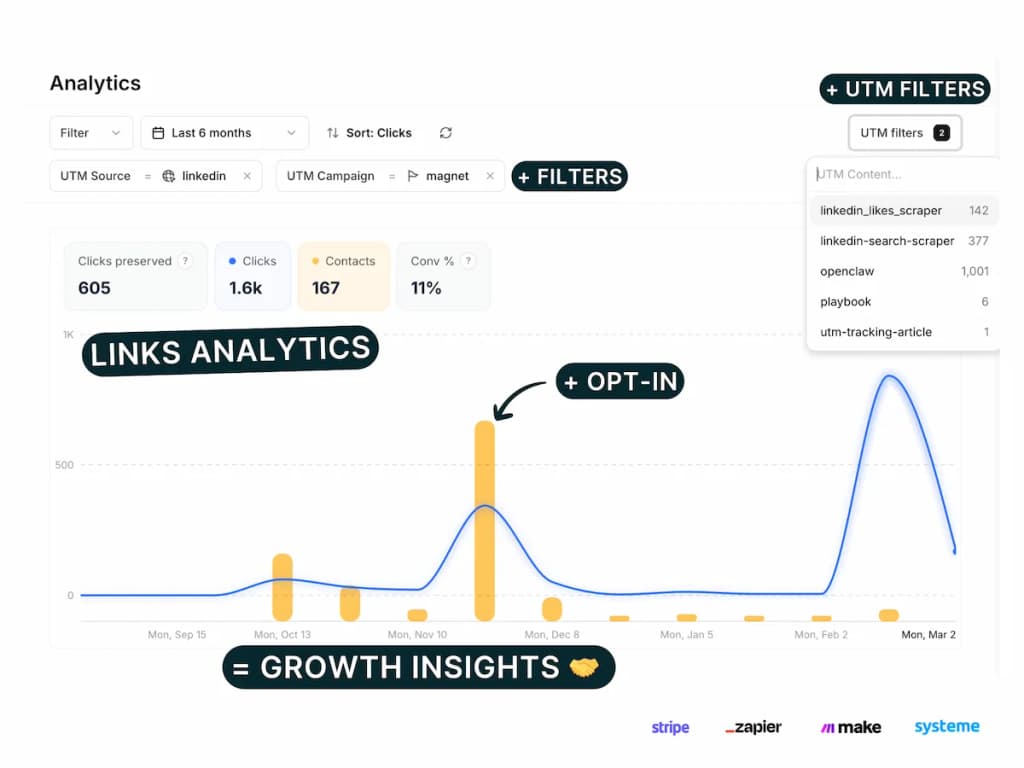
You'll get real-time conversion analytics showing which ads, social posts, or email campaigns drive actual signups, bookings, or purchases from your Carrd site. Perfect for link-in-bio tracking and landing page attribution from click to conversion.
Carrd is the go-to tool for building simple, beautiful one-page websites — widely used by indie hackers, creators, and startups. With Pimms, you can track every conversion on your Carrd site and know exactly where each lead came from.
Why track Carrd conversions with Pimms?
-
Know which campaigns drive signups. You share your Carrd landing page on Twitter, in your newsletter, and through Product Hunt. Without Pimms, you see form submissions but don't know which source generated them. With Pimms, every conversion is attributed to the exact campaign.
-
Measure your link-in-bio performance. You use Carrd as a link-in-bio page with links to your Stripe checkout, Cal.com booking, and newsletter signup. Pimms tracks which social platform drives the most valuable clicks and conversions.
-
Test landing page variants. You create multiple Carrd pages for different audiences. Create separate Pimms links for each and see which page generates the highest conversion rate from each traffic source.
Prerequisites
- A Carrd Pro Plus plan or higher (required for custom code access)
- A Pimms account (sign up here)
- A Carrd site with at least one form or outbound link
What you'll track
- Form submissions — Every Carrd form fill with the visitor's details and the campaign that brought them
- Outbound link clicks — Track when visitors click through to Cal.com, Stripe, Tally, or other services
- Conversion attribution — Which ad, email, social post, or bio link drove each action
- Landing page performance — Compare how different traffic sources convert on your Carrd site
How to set it up
Go to your Pimms dashboard, open Integrations → Carrd, and launch the setup wizard. It walks you through adding the detection script to your Carrd site, configuring outbound domain tracking, and verifying with a test visit. Setup takes about 3 minutes.
What the setup wizard covers
The Carrd wizard has 5 steps:
- Install the detection script — Add the Pimms script to your Carrd site's head section
- Verify script installation — Confirm the script is loading on your published Carrd site
- Configure outbound tracking — Set up
data-domainsto track clicks to Cal.com, Stripe, Tally, and other services - Create a test link — Generate a tracking link to your Carrd page
- Verify tracking works — Click through and perform a test conversion to confirm attribution is connected
How it works
- Add the Pimms detection script to your Carrd site's head section via Settings > Head (requires Pro Plus plan)
- The script detects visitors arriving from Pimms links and stores the attribution data
- When the visitor converts — fills a form, clicks to Cal.com, completes a Stripe payment — the attribution data flows through
- Pimms attributes the conversion to the original campaign, visible instantly in your dashboard
For outbound links to third-party services, the detection script automatically appends the tracking ID to supported domains configured in data-domains.
Best ways to share your tracking links
- Instagram bio — Replace your raw Carrd URL with a Pimms link to track how many conversions come from Instagram
- Twitter/X profile — Use a tracked Pimms link in your bio to measure Twitter-driven conversions
- Email signatures — Add a Pimms link to your Carrd page in your email signature
- Product Hunt launches — Track launch-day traffic and conversions with a dedicated Pimms link
- Paid ads — Point ads to a Pimms link for your Carrd landing page to measure ad ROI
What you'll see in your dashboard
Your Pimms dashboard shows every conversion from your Carrd site in real time with full campaign attribution. For each action — form submission, booking, or payment — you'll see which Pimms link they clicked, from which platform, and which campaign. Filter by date or traffic source to understand which channels convert best on your Carrd page.
FAQs
Do I need a paid Carrd plan for tracking?
Yes, you need a Carrd Pro Plus plan or higher to add custom code (the Pimms detection script) to your site. The standard Pro plan doesn't include the custom code capabilities needed for tracking scripts.
Can I track both form submissions and outbound link clicks?
Yes! The Pimms detection script tracks outbound link clicks to third-party services (Cal.com, Stripe, Tally) automatically when you configure the data-domains attribute. Form submissions from custom code forms are also tracked via the hidden field approach.
Does this work with Carrd's built-in form handler?
Carrd's built-in form handler works with the detection script for basic attribution. For full webhook-level tracking, you can use a Tally or Jotform embed on your Carrd page, both of which have their own Pimms integrations — see the Tally guide or Jotform guide.
Can I track multiple Carrd sites?
Yes! Install the Pimms detection script on each Carrd site and create separate Pimms links for each. All conversions across all your Carrd sites will appear in your Pimms dashboard with full attribution.
Can I use Carrd tracking together with Stripe or Cal.com?
Yes. If you link to Stripe checkout or Cal.com from your Carrd page, the detection script passes the tracking ID to those services. Set up each integration's wizard in the dashboard and configure the domains in data-domains.
It starts here
If you made it this far, it's time to grab 10 free links.
10 smart links included • No credit card