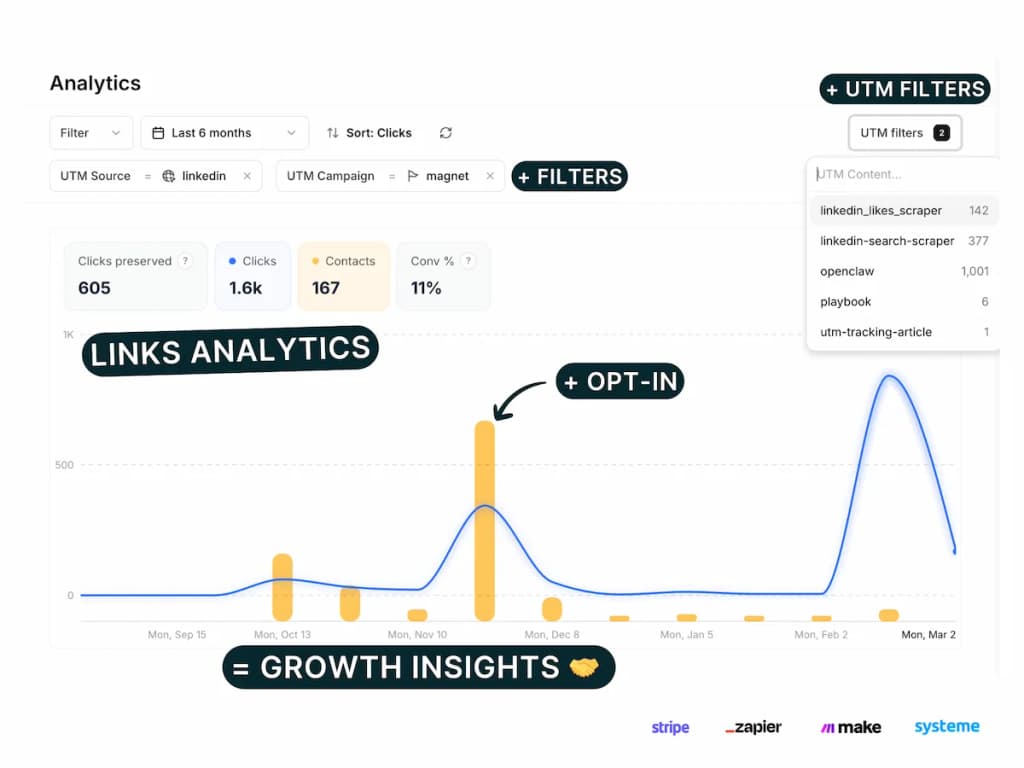

If your Podia checkout is paid via Stripe, you can track every purchase in Pimms with full attribution — no coding required.
The Pimms dashboard has an interactive setup wizard that guides the full Podia + Stripe configuration — Stripe connection, detection script, settings, and verification. You'll see exactly which campaigns generate actual revenue from your Podia store.
Whether you sell online courses, digital downloads, or memberships, connecting Podia to Pimms lets you stop guessing which marketing efforts bring in paying customers and start measuring real revenue per campaign.
Why track Podia payments with Pimms?
-
Know which launch campaign actually sells. You promoted your new course on Twitter, in your newsletter, and through an affiliate. Pimms shows you that the newsletter drove 12 sales while Twitter only brought 2 — so you know what to prioritize for your next launch.
-
Measure affiliate performance with real revenue data. Give each affiliate a unique Pimms link. Instead of relying on self-reported numbers, you'll see exactly how many purchases each partner generated and the total revenue they brought in.
-
Compare free vs paid traffic. You write blog posts and also run Instagram ads pointing to your Podia store. Pimms shows you not just which channel gets more clicks, but which one generates actual purchases — helping you allocate your budget where it counts.
Prerequisites
- A Podia account with Stripe payments enabled
- A Stripe account connected to Podia
- A Pimms account (sign up here)
- At least one Podia product page ready
What you'll track
- Podia purchases — Every completed payment through Podia's Stripe checkout, including product name, amount, and customer email
- Sales attribution by campaign — Which ad, email, social post, or partner link drove each sale
- Revenue per campaign — Total revenue broken down by traffic source for clear ROI calculations
- Customer journey — The full path from the first Pimms link click to the completed purchase
How to set it up
Go to your Pimms dashboard, open Integrations → Podia, and launch the setup wizard. It starts by ensuring your Stripe account is connected, then walks you through adding a tracking script to your Podia site and verifying the connection. Setup takes about 5 minutes.
What the setup wizard covers
The Podia wizard has 7 steps:
- Connect Stripe — Prerequisite (the wizard will guide you if not yet connected)
- Pick a tracking domain — Select which domain to use for your tracking links
- Install detection script — Add the Pimms script to Podia's tracking code section
- Verify script installation — Confirm the script is loading on your Podia site
- Enable "Require account setup before checkout" — Ensures the buyer's email is captured before payment
- Create a test link — Generate a test tracking link to your Podia product page
- Verify tracking works — Make a test purchase to confirm attribution is working
How it works
- Create a Pimms link pointing to your Podia product or sales page
- Share that link in your campaigns — emails, ads, social posts, affiliate partnerships
- A visitor clicks, browses your Podia page, and completes a purchase through Stripe checkout
- Pimms attributes the sale — The detection script on your Podia thank-you page connects the purchase to the original campaign that brought the buyer
The Stripe integration handles payment detection server-side, while the Podia detection script bridges the attribution from the visitor's click to the checkout completion.
Best ways to share your tracking links
- Product launch emails — Replace your raw Podia links with Pimms links to track which emails convert
- Social media posts — Share tracked links on Twitter, LinkedIn, or Instagram to see which platform sells best
- YouTube video descriptions — Add a Pimms link below your course or product demos
- Affiliate partnerships — Give each affiliate a unique Pimms link for transparent revenue tracking
- Blog posts and guest articles — Embed tracked links in your content marketing to measure content ROI
What you'll see in your dashboard
Your Pimms dashboard shows every Podia sale in real time with full campaign attribution. For each purchase, you'll see the product name, sale amount, customer email, and the complete trail — which Pimms link they clicked, from which platform, and which campaign. Filter by date or traffic source to compare how different channels perform.
FAQs
Do I need a Stripe account for Podia tracking?
Yes, Podia uses Stripe for payments. The wizard will guide you to connect Stripe first if you haven't already, then configure Podia tracking.
Does it work with all Podia products?
Yes, any Podia product that uses Stripe checkout is tracked automatically. Courses, digital products, memberships — all purchases are attributed to the campaign that brought the buyer.
How does Podia tracking differ from direct Stripe tracking?
Podia tracking uses a detection script on the Podia thank-you page to connect purchases to the original campaign. Direct Stripe tracking works with standalone Payment Links and Stripe Checkout pages. If you sell exclusively on Podia, use the Podia integration. If you also use Stripe outside of Podia, you can set up both.
Why do I need to enable "Require account setup before checkout"?
This Podia setting ensures the buyer enters their email before reaching Stripe checkout. Without it, Pimms can't match the payment to the buyer, and attribution may not work reliably. The wizard reminds you to enable this setting during setup.
It starts here
If you made it this far, it's time to grab 10 free links.
10 smart links included • No credit card