Cal.com + Framer integration lets you embed Cal.com directly into your Framer site with complete booking attribution. The Pimms dashboard includes interactive setup wizards that handle both Cal.com webhooks and Framer script installation — two quick wizards and you're tracking meetings end-to-end.
This is the ideal setup for founders and teams who use Framer to build their website and Cal.com to schedule demos, consultations, or sales calls. You'll see exactly which campaigns drive actual booked meetings through your Framer site.
Framer makes it easy to embed Cal.com booking widgets. Pimms adds the missing piece: attribution. Now you know not just how many meetings were booked, but which LinkedIn post, ad, or email campaign brought each prospect.
Why track Cal.com bookings on your Framer site?
-
Attribute demo bookings to specific campaigns. You drive traffic to your Framer site from multiple sources — LinkedIn, Product Hunt, Google Ads. Without Pimms, you see bookings in Cal.com but don't know which source generated them. With Pimms, every booking shows the exact campaign that brought the visitor.
-
Measure your landing page effectiveness. You built multiple Framer landing pages for different audiences (agencies, startups, enterprise). Each page has an embedded Cal.com widget. Pimms shows you which page generates the most meetings from each traffic source.
-
Track the full funnel from click to booked meeting. A visitor clicks your Pimms link, lands on your Framer site, browses your features page, and books a call. Pimms tracks the entire journey — so you know which first touchpoint started the path to a meeting.
Prerequisites
- A Cal.com account (free or paid — webhooks work on all plans)
- A Framer site with Cal.com embedded (paid plan recommended for custom code)
- A Pimms account (sign up here)
What you'll track
- Cal.com bookings from your Framer site — Every meeting booked through your embedded Cal.com widget
- Meeting attribution by campaign — Which ad, email, social post, or referral source drove each booking
- Landing page performance — See which Framer pages generate the most meetings
- Channel comparison — Compare how LinkedIn, ads, email, and organic traffic perform at generating meetings
How to set it up
This integration combines two setup wizards in your Pimms dashboard:
- Complete the Cal.com wizard first — This configures the webhook that sends booking events to Pimms and adds the tracking field to your Cal.com forms
- Then complete the Framer wizard — This adds the detection script to your Framer site so visitors from Pimms links are identified
Both wizards are guided step-by-step. Total setup time is about 10 minutes for both.
What the setup wizards cover
Cal.com wizard (6 steps):
- Install the detection script on your Framer site
- Verify script installation
- Add the pimms_id tracking field to Cal.com booking questions
- Configure the Cal.com webhook
- Create a test link
- Verify tracking works
Framer wizard (6 steps):
- Install tracking scripts (detection + form injection)
- Verify script installation
- Build a Pimms-compatible form (if applicable)
- Configure the Framer webhook (for form tracking)
- Create a test link
- Verify tracking works
If you only need Cal.com booking tracking (no Framer forms), the Cal.com wizard alone is sufficient.
How it works
- The Pimms detection script is installed on your Framer site — when a visitor arrives via a Pimms link, the script detects the click ID
- The script auto-injects the tracking ID into Cal.com embeds on the page via the hidden
pimms_idfield - The visitor books a meeting through your embedded Cal.com widget — the booking includes the Pimms click ID
- Cal.com fires a webhook to Pimms with the booking data and tracking ID
- Pimms attributes the meeting to the original campaign, visible in your dashboard
The key advantage of this approach is that the detection script handles the handoff between Framer and Cal.com automatically — no manual URL parameter passing needed.
Best ways to share your tracking links
- LinkedIn — Share your Framer landing page via Pimms to track which posts and articles book the most demos
- Paid ads — Point Google or Meta ads to Pimms links for your Framer site to measure ad-to-meeting conversion
- Email outreach — Use Pimms links in cold emails and sequences to see which messages drive meeting bookings
- Product Hunt and communities — Track how many demo bookings come from launch-day traffic
- Blog content — Add tracked links in guest posts and articles that link to your Framer booking page
What you'll see in your dashboard
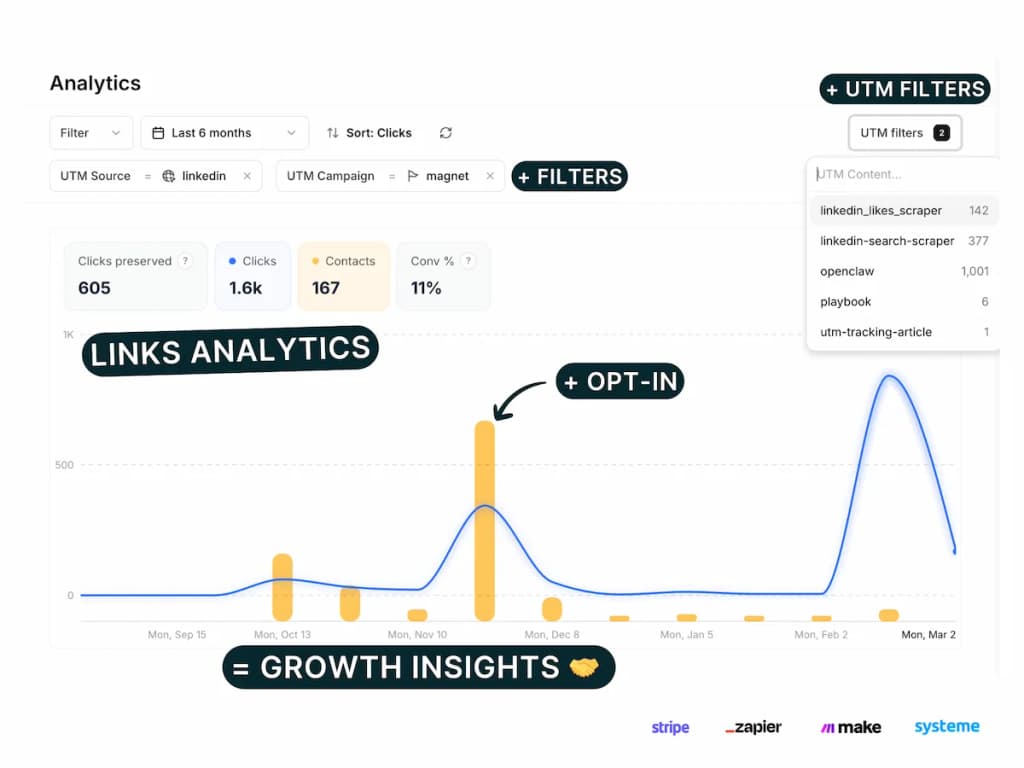
Your Pimms dashboard shows every Cal.com booking from your Framer site in real time with full campaign attribution. For each meeting, you'll see the attendee's name and email, the event type, and the complete trail — which Pimms link they clicked, from which platform, and which campaign. Filter by date, channel, or landing page to compare which campaigns generate the most meetings.
FAQs
Do I need a paid Framer plan for Cal.com integration?
It depends on how you add the script. Framer's free plan allows custom code in site settings, but a paid plan gives more flexibility. Most users have a paid Framer plan for other features and can add the tracking script easily.
Can I customize the Cal.com booking form appearance?
Yes! Cal.com offers extensive customization options for colors, branding, and form fields. You can customize these in your Cal.com dashboard under Event Types → Advanced → Booking Questions.
Will this work with Framer's CMS?
Yes! You can use Framer's CMS to create dynamic booking pages with different Cal.com links for different team members or services. The detection script works across all pages.
Can I use Pimms short links for the fullscreen calendar method instead of adding ?pimms_id=1?
Yes, but this approach breaks attribution tracking. When you use a Pimms short link directly to Cal.com, all bookings will be attributed to the button click rather than the actual traffic source.
Use Pimms short links only for:
- Short-term A/B testing (max 1 month)
- Testing which button design converts better
- Quick setup when you need immediate tracking
For long-term tracking and proper attribution, always use the Cal.com link with ?pimms_id=1 parameter.
Can I track multiple Cal.com calendars on the same Framer site?
Yes! You can embed multiple Cal.com calendars and track them all with Pimms. Each calendar's bookings will be attributed to the specific campaign and page that drove the visitor.
It starts here
If you made it this far, it's time to grab 10 free links.
10 smart links included • No credit card