If your reporting is full of duplicates like facebook vs Facebook vs fb, you don’t have an “analytics problem”—you have a tagging system problem.
This guide compares manual UTM tagging vs using a UTM generator (anything from a simple form to a spreadsheet template with locked dropdowns). You’ll learn how to choose the right approach for your team, and you’ll leave with a practical workflow that keeps your attribution data clean without slowing launches.
Last verified: 2026-01-19
What UTMs are (and what they’re not)
UTM parameters are query parameters you append to a landing page URL so analytics tools can group sessions and conversions by your campaign taxonomy.
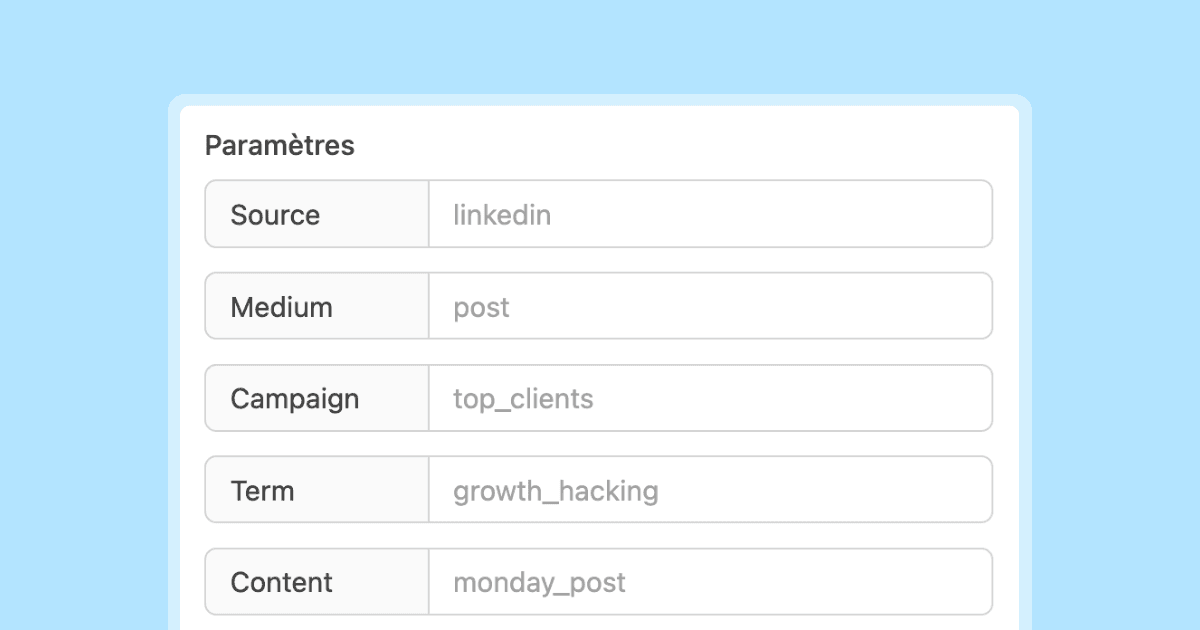
The most common parameters are:
- utm_source (where the click came from)
- utm_medium (the marketing channel type)
- utm_campaign (the campaign name)
- utm_content (creative/variant)
- utm_term (typically paid search keyword or targeting label)
If you need a canonical reference for the fields and how they’re assembled into a URL, Google’s Campaign URL Builder is a good baseline [1].
What UTMs are not: they don’t automatically guarantee accurate attribution. They’re only as good as the consistency of the values you put into them and whether your redirects, short links, and landing pages preserve query parameters.
UTM generator vs manual tagging: the real difference
The core difference isn’t “tool vs no tool.” It’s governance.
- Manual tagging means a human decides the values, formats them, and appends them to the URL each time.
- A UTM generator centralizes the rules (allowed values, casing, separators, required fields) so humans don’t have to remember them under deadline pressure.
Even a simple generator—like a shared spreadsheet with dropdowns—can drastically reduce report fragmentation.
Side-by-side comparison
When manual tagging is perfectly fine (and how to do it safely)
Manual tagging is fine when all of the following are true:
- You ship a small number of links per week.
- One person (or one very aligned pair) owns tracking.
- Your campaign taxonomy barely changes.
- You’re willing to accept occasional cleanup work.
If that’s you, do manual tagging—but with guardrails:
The “3 rules” manual tagging checklist
- Use a fixed vocabulary for
utm_sourceandutm_medium(don’t invent new values on the fly). - Normalize formatting (e.g., lowercase, no spaces—pick one separator and stick to it).
- Log every launched URL in a shared place (even a lightweight sheet) so you can reuse names instead of remixing them.
If you’re also working on conversion-path analysis, pair this with your existing deep-dive on multi-touch behavior: how UTM parameters impact conversion paths.
When you should move to a generator (the early warning signs)
You’re ready for a generator if you see any of these:
- Two or more people create campaign links.
- You have multiple creatives per channel (variants, placements, formats).
- Campaign naming is debated in Slack every launch.
- Reports show duplicate rows for what should be the same campaign.
- You’ve said “we’ll clean it up later” more than twice this month.
Here’s the key: a generator isn’t about convenience; it’s about data hygiene.
It starts here
If you made it this far, it's time to grab 10 free links.
10 smart links included • No credit card
A simple UTM governance workflow that scales (without bureaucracy)
You don’t need a complex toolchain to get most of the benefits. You need:
- A naming convention
- A generator that enforces it
- A review loop
Step 1: Define your taxonomy (small and strict beats big and fuzzy)
Create a short list of allowed values:
- Sources:
google,linkedin,x,newsletter,partner_<name> - Mediums:
cpc,paid_social,organic_social,email,affiliate
Keep utm_campaign human-readable but structured. For example:
launch_<product>_<yyyy-mm>_<geo>
Example:
launch_new_feature_2026-01_us
Step 2: Make required fields explicit
Require utm_source, utm_medium, utm_campaign for all outbound campaign links.
Make utm_content required only when you need to compare creatives (ads, A/B variants, multiple CTAs).
Step 3: Build a generator that prevents drift
Your “generator” can be:
- A form that builds the URL
- A spreadsheet that concatenates fields
- A small internal page
What matters is that it:
- Enforces the allowed vocab lists for source/medium
- Normalizes formatting (auto-lowercase, replaces spaces)
- Includes a “notes” column (where this link was used)
To keep this practical, keep the generator opinionated and small. If it becomes a “campaign planning tool,” adoption drops and people revert to manual tagging.
Step 4: Add a lightweight QA step before launch
Before sending links to an agency, scheduling an email, or publishing creatives:
- Click the URL once and confirm it lands correctly (no redirect loops)
- Confirm UTMs are still present after redirects
- Confirm the analytics tool you rely on can see the parameters (real-time / debug mode)
If you frequently lose parameters, inspect your redirect strategy (contains vs exact matching, and whether query strings are preserved). This is a common reason “UTMs are inconsistent” even when the team did everything right.
Advanced pitfalls (the stuff that breaks tracking even with good UTMs)
Pitfall 1: Redirects and short links that drop query parameters
Some redirect setups drop query strings by default. If your short link resolves to the landing page but removes ?utm_..., you’ll see “Direct” or unattributed sessions that should have been attributed.
Mitigation:
- Test with a tagged URL through the full redirect chain.
- Prefer configurations that explicitly preserve query strings.
Pitfall 2: Auto-tagging vs UTMs (paid media nuance)
If you run Google Ads, you’ll often see a gclid parameter when auto-tagging is enabled, which can be used for measurement integrations [2]. For Analytics reporting, linking Google Ads and GA4 is the canonical setup [3].
Practical implication: decide what your “source of truth” is for paid search reporting (platform click IDs vs manual UTMs) and keep it consistent. Your generator should reflect that policy so people don’t unknowingly create conflicting tagging schemes.
Pitfall 3: Over-tagging and over-granularity
If every link has a unique utm_campaign, your reports become unusable. A good rule: utm_campaign should represent a campaign concept that multiple links share; variants belong in utm_content.
Pitfall 4: Putting sensitive data in UTMs
Never put emails, names, phone numbers, or anything that could be considered personal data in UTM values. If you need to connect campaigns to leads, do it in your CRM using campaign IDs—not in public URLs.
Decision framework: pick your approach in 60 seconds
Use this quick framework:
- Manual tagging if: low volume + single owner + stable taxonomy.
- Generator if: multi-person + multi-creative + multi-channel.
- Hybrid if: you mostly generate links, but allow manual overrides for rare edge cases (and log them).
If you’re unsure, choose the generator. The cost of “too much structure” is minor compared to the cost of broken attribution.
Practical takeaways you can implement today
- Standardize just two fields first: lock
utm_sourceandutm_mediumvocab; letutm_campaignevolve later. - Move creative variants into
utm_contentsoutm_campaignstays readable and comparable. - Add a QA click step in every campaign launch checklist to catch redirect stripping early.
- Create a “UTM registry”: one shared place where every launched URL is logged.
If you want to go deeper on how clean tags translate into better reporting, start with: Analyze referral sources with UTM tags.
SERP reality check (what ranks and what it tells you)
For queries like “UTM generator” and “UTM parameters,” the top results tend to be:
- Official campaign URL builder tools and documentation
- “Best practices” guides focused on naming conventions
- Tool roundups and link-builder pages
This implies search intent is mostly operational (people need to build UTMs quickly) and governance-driven (people need naming rules and consistency). That’s why this article emphasizes a lightweight system and QA loop instead of a “perfect taxonomy.”
Closing: your goal isn’t more tracking—it’s trustworthy tracking
Manual tagging can work. But as soon as more people touch links, inconsistency creeps in—and your dashboards become arguments instead of answers.
Start small: lock your vocab, enforce formatting, and log launches. If you do nothing else, that alone will clean up your acquisition and campaign reports dramatically.
Want a deeper foundation on UTM structure and examples? See: Complete UTM tracking guide.